Why 97% of Microsoft 365 Users Ignore Copilot (And How to Fix It)
Microsoft announced it in January 2026 earnings: 15 million paid Copilot users across 450 million commercial Office 365 seats.
Do the math. That's 3.3% adoption.
Which means 97% of potential users—people who already have Microsoft 365, who already use Word and Excel and Teams every day—looked at Copilot and said "no thanks."
This isn't an enterprise AI problem. And if your company deployed Copilot (or Salesforce Agentforce, or Workday Illuminate, or any other enterprise AI tool), you're probably seeing the same pattern.
Except nobody's talking about it in earnings calls yet.
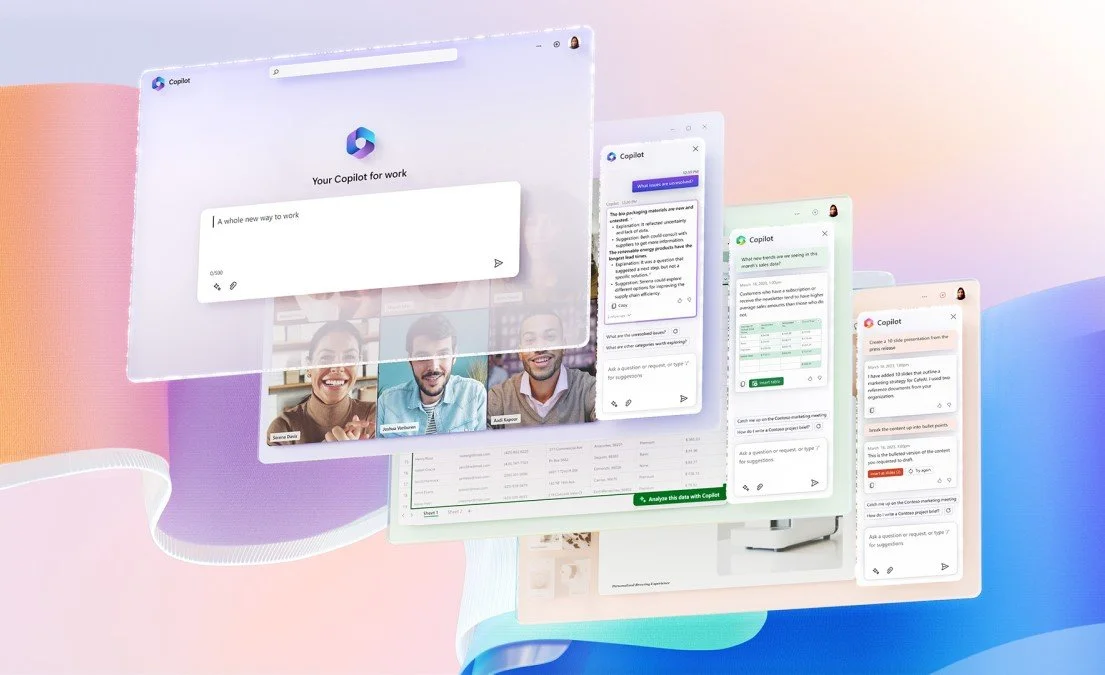
Microsoft Copilot
The Real Cost of 3% Adoption
Let's be clear about what 97% non-adoption means in dollars.
Microsoft 365 Copilot costs $30 per user per month. If a Fortune 500 company with 50,000 employees rolls out Copilot to everyone, that's $18 million per year.
At 3% adoption, only 1,650 people are actually using it. The other 48,350 employees ignore it.
That's $17.1 million per year spent on software that sits unused.
And here's the part that should terrify every CIO: Microsoft doesn't care. They got paid when you signed the contract, not when your employees actually opened Copilot.
The CFO will care in 12 months when renewal comes up and usage data shows single-digit adoption. But by then, you've already burned a year of budget on a failed deployment.
Why Employees Ignore AI Tools (It's Not What You Think)
The standard explanation for low AI adoption is "change management" or "training." As in: employees don't use Copilot because they don't understand how it works, so we need better onboarding.
This is wrong.
The pattern across enterprise AI deployments is consistent. Employees ignore AI tools for three reasons, and none of them are about training.
Reason 1: The AI Doesn't Fit How They Actually Work
Copilot was built by engineers in Redmond who studied "how people use Office 365." But there's a difference between how people use a tool and how people do their jobs.
Example: A procurement manager at a manufacturing company spends her day negotiating with suppliers, tracking purchase orders, and reconciling invoices. She uses Excel—but only as one small part of a larger workflow that involves email, phone calls, ERP systems, and informal hallway conversations.
Copilot can summarize her emails or generate a pivot table. Great. But it can't help her negotiate a better price with a difficult supplier, which is the actual high-value part of her job. So she ignores it.
The AI tool doesn't map to her real workflow. It maps to Microsoft's understanding of her workflow, which is based on data exhaust (clicks, keyboard shortcuts, time in application) rather than ethnographic observation of what she's actually trying to accomplish.
Reason 2: The AI Makes Decisions Employees Don't Trust
AI tools make recommendations. Sometimes they make decisions automatically (agentic AI). Either way, the employee has to trust that the AI's judgment is sound.
But here's the problem: employees have no mental model for how the AI reaches its conclusions.
When a human colleague says "I think we should approve this vendor," you can ask follow-up questions. You understand their expertise, their biases, their incentives. You know whether to trust them.
When Copilot suggests a response to an email or Salesforce Agentforce recommends a next action, there's no transparency. The employee doesn't know what data the AI considered, what it ignored, or whether it's optimizing for the right outcome.
So they ignore the recommendation. Because "I don't know why it said that" translates to "I don't trust it."
This isn't a training problem. This is a fundamental design problem. The AI wasn't built with human decision-making psychology in mind.
Reason 3: Using the AI Creates More Work Than It Saves
The promise of AI tools is productivity. The reality, in most deployments, is the opposite.
A January 2026 Workday study of 3,200 enterprise employees found that 37% of time saved by AI gets consumed by rework—double-checking the AI's output, fixing mistakes, or redoing work the AI screwed up.
Employees figure this out fast. They try Copilot once or twice, realize it takes longer to review and edit the AI's draft than to just write it themselves, and they stop using it.
This is why adoption drops off after the first week. The initial "wow, it wrote something!" novelty wears off as soon as employees do the math on their own time.
What Enterprises Get Wrong About AI Deployment
Most enterprise AI deployments follow the same playbook:
Buy the AI tool (Copilot, Agentforce, Illuminate, etc.)
IT configures it and rolls it out
L&D creates training materials ("Here's how to use Copilot!")
Leadership sends an email: "We've deployed AI to make you more productive!"
Employees ignore it
Leadership blames "change management" and plans more training
MIT NANDA research published in August 2025 found that 95% of enterprise AI pilots fail to deliver measurable business impact. The most common cause: the AI was built for a problem the vendor imagined, not the problem employees actually have.
The problem is Step 0, which nobody does: Research how your people actually work before deploying AI that's supposed to change how they work.
If you don't know how a procurement manager spends her day—what decisions she makes, what information she needs, what tools she switches between, what frustrates her—you can't possibly know whether Copilot will help her or just add noise.
This is why adoption fails. The AI tool is a solution to a problem the vendor imagined, not the problem your employees actually have.
How to Fix AI Adoption (Before You Waste Another Year)
Here's what actually works.
Step 1: Map Real Workflows Before Deployment
Before you roll out Copilot (or any AI tool), spend 2-4 weeks observing how your employees actually work.
Not surveys. Not interviews. Observation. Shadow them. Watch what they do, what tools they use, where they get stuck.
You're looking for:
What decisions do they make that require judgment?
What information do they need that's hard to find?
What repetitive tasks eat up time without adding value?
What workflows span multiple systems that don't talk to each other?
Then—and only then—you can evaluate whether the AI tool solves a real problem or just adds another dashboard nobody will open.
Step 2: Pilot With People Who Match the Use Case
Most AI deployments go wide immediately. "Everyone gets Copilot!" This guarantees failure, because you're forcing the tool on people whose workflows don't match the tool's capabilities.
Instead: Identify 50-100 employees whose actual jobs align with what the AI does well. For Copilot, that might be people who spend 60%+ of their day writing documents, responding to emails, or analyzing data in Excel.
Pilot with them. Measure adoption. Iterate. If adoption is still below 50% after 30 days, the tool doesn't work for your company. Don't roll it out to everyone and hope.
Step 3: Build Trust Through Transparency
Employees won't trust AI recommendations if they don't understand how the AI reaches conclusions.
Fix this by showing your work. When Copilot suggests a response or Salesforce recommends a next action, the UI should explain:
What data did the AI consider?
What did it ignore and why?
What's the confidence level of this recommendation?
What happens if I accept this vs. reject it?
Most enterprise AI tools don't do this by default. But you can add it as a layer in your deployment. Annotate the AI's outputs with context. Train employees to ask "why did the AI say that?" and provide answers.
This won't happen automatically. It requires intentional design.
Step 4: Measure Adoption, Not Deployment
Microsoft counts "paid Copilot seats." That's a deployment metric, not an adoption metric.
Adoption is:
How many employees opened Copilot in the last 7 days?
How many used it more than once?
How many accepted an AI suggestion vs. ignored it?
How many employees who tried it in Week 1 are still using it in Week 12?
If you're not measuring these, you have no idea whether your AI deployment worked. And when renewal comes up, your CFO will ask for the data.
Track it from Day 1.
Step 5: Kill Tools That Don't Get Adopted
This is the hardest part. If adoption is stuck below 20% after 6 months, the tool isn't working. Period.
You can do more training, send more emails from leadership, add more features. It won't matter. The tool doesn't fit how your people work, and no amount of change management will fix that.
The right move is to kill it, take the lesson, and try something different.
Most enterprises don't do this because admitting failure is politically difficult. But continuing to pay for unused software is worse.
What Success Actually Looks Like
Success isn't 3%. It's not "we deployed it." It's actual usage by the majority of people who have access—consistently, over time.
The pattern we see in successful AI deployments shares one thing: the team paused before rollout to understand how employees actually worked. They didn't assume. They observed. They found the gap between what the AI was designed to do and what the employees actually needed to accomplish.
Then they configured the AI to close that gap—and made the AI's reasoning visible so employees could trust it.
That's the whole playbook. It's not complicated. It just requires doing the research that most enterprise teams skip.
The Bottom Line
Microsoft Copilot's 3.3% adoption rate isn't a Microsoft problem. It's a preview of what happens when you deploy AI without understanding how your people actually work.
If your company has rolled out Copilot—or any other enterprise AI tool—go pull the usage data right now.
How many people who have access are actually using it?
If the answer is below 50%, you have an adoption problem. And more training won't fix it.
You need to understand why your employees are ignoring the AI. Which means you need to understand how they work, what they need, and whether the AI tool actually helps them do their jobs.
That's research, not change management. And it's the only way to turn a 3% deployment into an 80% success.
FAQ
Why is Microsoft Copilot adoption so low?
Microsoft Copilot adoption is 3.3% (15M users out of 450M potential users) because the tool doesn't map to how most employees actually work. It was designed based on aggregated usage data, not ethnographic research into real workflows. Employees try it once, realize it doesn't save time or fit their processes, and stop using it.
How can enterprises improve AI tool adoption?
Enterprises can improve AI adoption by: (1) mapping real workflows before deploying AI, (2) piloting with employees whose jobs match the tool's capabilities, (3) building trust through transparency in AI decision-making, (4) measuring actual usage (not just deployment), and (5) killing tools that don't reach 50%+ adoption within 6 months.
What's the difference between deployment and adoption?
Deployment means the tool is rolled out and available. Adoption means employees actually use it consistently. Microsoft Copilot has high deployment (450M seats) but low adoption (15M active users, or 3.3%). Most enterprises track deployment and assume adoption will follow. It doesn't.
How much does low AI adoption cost companies?
For a 50,000-employee company, deploying Microsoft Copilot at $30/user/month costs $18M per year. At 3% adoption, only 1,650 employees use it. That means $17.1M is spent on unused software. This doesn't include the productivity cost of employees learning a tool they'll abandon.
What's the ROI of AI adoption research?
The math is straightforward: if a company pays $18M/year for Copilot and 97% of seats go unused, even modest adoption improvements represent millions in recovered value. Workflow research that maps how employees actually work—typically 2-8 weeks of observation—is the highest-leverage intervention available before a major AI rollout. The alternative is deploying to everyone, watching adoption fail, and paying again for "change management" that won't fix the root cause.
About Amplinate
Amplinate is a product strategy and UX research firm that helps enterprises understand how their people actually work—across 19 countries and 5 continents—so AI deployments succeed instead of sitting unused.
If your AI tool adoption is below what you want, let's talk.